Book An Artist elevates user onboarding with product tours by Usetiful

Book An Artist is an innovative online marketplace platform that connects artists with clients. It focuses on creatives specialized in many forms of art - custom murals, graffiti and street art, canvas paintings, also illustration and many more. Book An Artist is the only international graffiti and street art marketplace and it revolutionized the way in which clients find art or hire local artists in their city. Now it is easier than ever to find and hire a local artist in these areas of visual art. 


However, changing the rules of the game is no easy task in any industry. It requires the gut, the patience, hard work, and of course the technology to power it all. And the technology is where Book An Artist shines bright. 


Book An Artist is an online platform, which makes it possible for artists to showcase their previous work and experience, and for clients to find and hire them. Book An Artist handles the entire communication and payment processing, so the artist dashboard is where all the magic happens. 


Artist account creation is quick, however the dashboard contains many tools available to use. That’s why Book An Artist partnered with Usetiful to deliver product walkthroughs  helping new artists to get the most out of their creative showcase profiles fast. 


We explored product tools online and found Usetiful had the easiest setup. The product tour is easy to navigate for non-tech users and tour analytics help analyze the users - Aditya Kumar, Technology Lead at Book An Artist
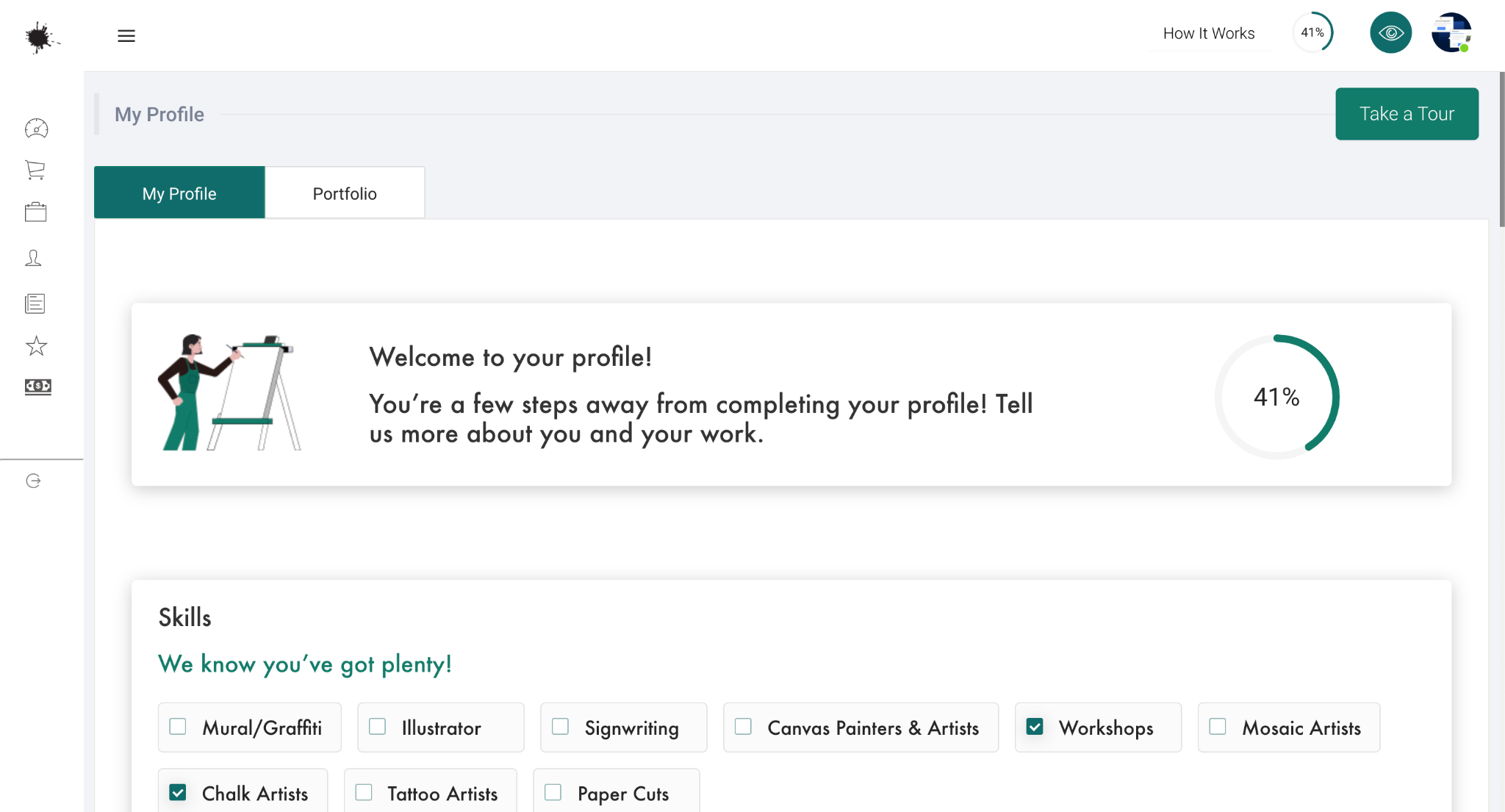


After account creation, an artist lands in their profile and portfolio set up page. 

The artist account is rich with tools and features, risking to overwhelm any artist. To reduce any possible friction Book An Artist added a big “Take a Tour” button which starts the guide. This product tour primarily highlights the importance of completing the profile - the artist profiles are reviewed by a specialized team and won’t be published until a profile is complete with all the information required.
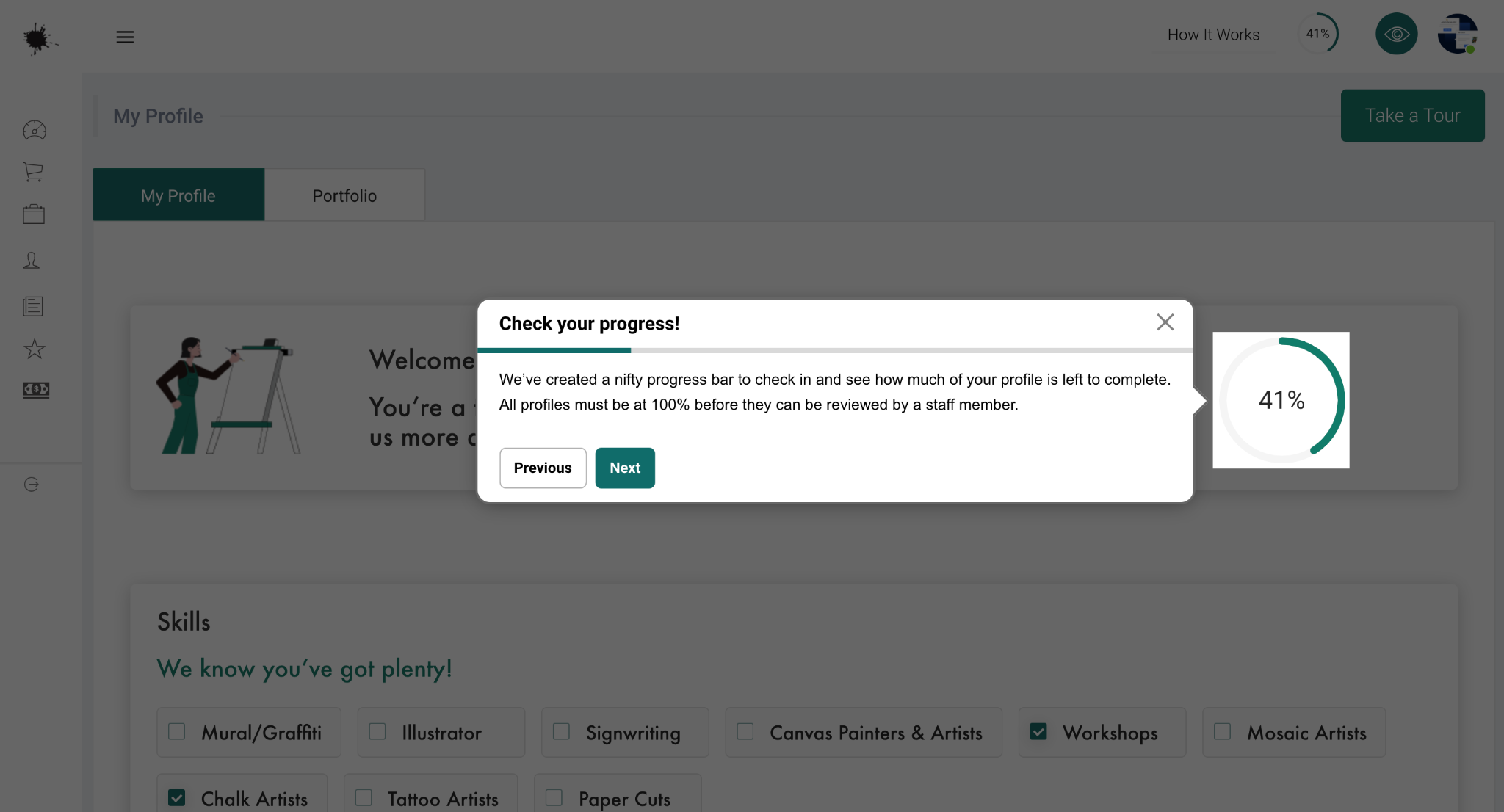
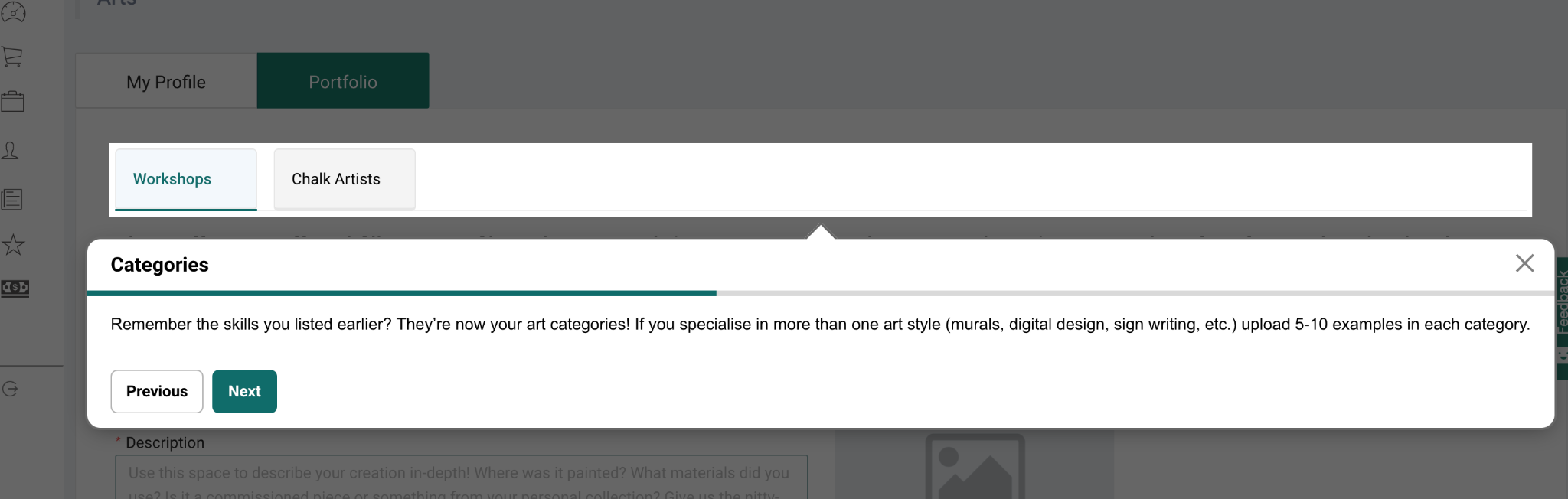


Then the product tour goes on to guide the artist in a seamless manner through different features and across different pages to help them faster fill in all of their information and add artworks, photos and profile cover. The artist is taken to their portfolio, and is suggested to add more details to all the categories that they selected during the registration process. 


Book An Artist enriched interactive pointers of the tour with useful instructions and tips on how to use the specific features of the platform. 


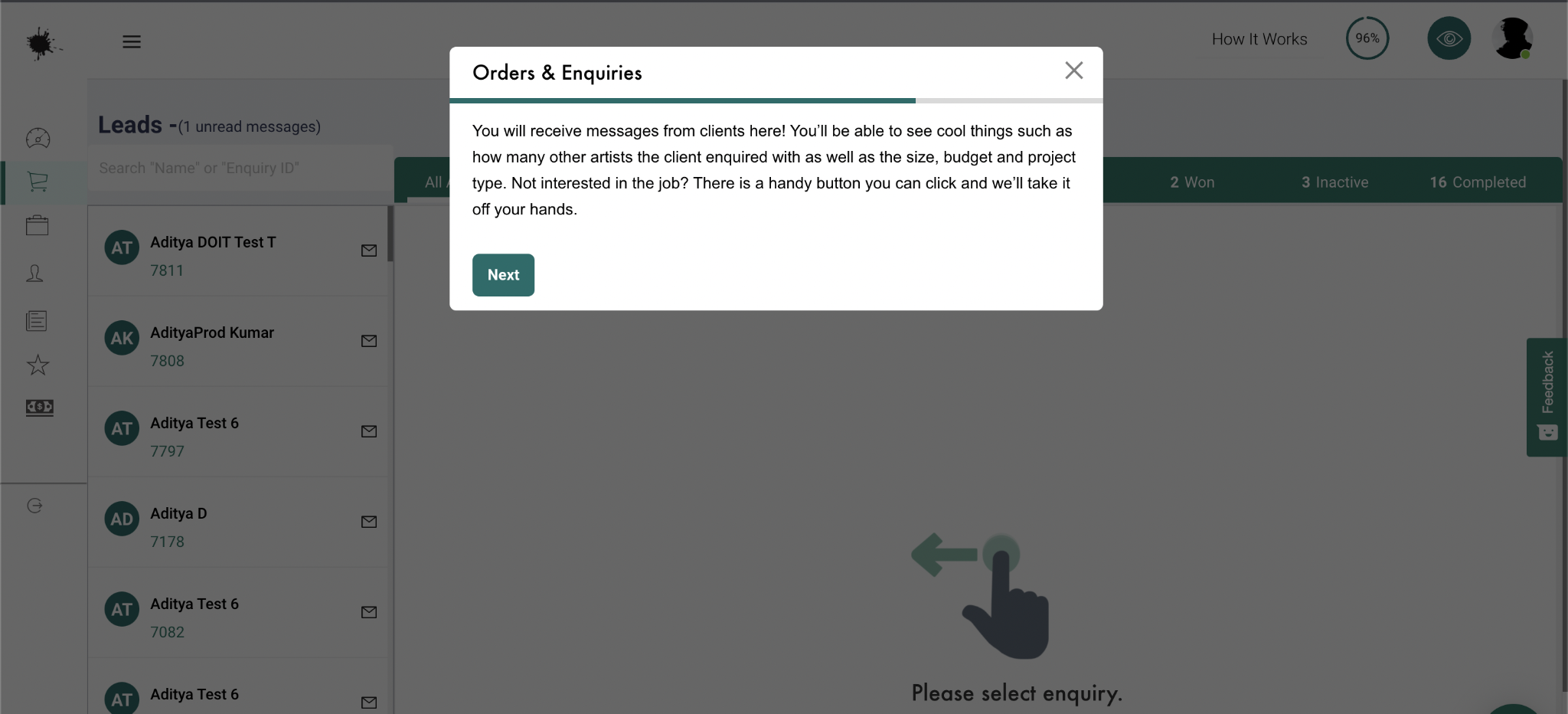
The tour proceeds to a different page and guides the artist to add their personal details and bank info for financial transactions. Next is “Orders and Inquiries” page, which offers powerful tools to track all of the messaging, leads and orders, as well as financials in one place. 


Then the artist is taken to the last page where they can view job posts, which are created by clients and they can respond to these if interested. This point represents the “aha moment”, showcasing how the artist will benefit from the platform in the end. By connecting the features into one coherent story, Book An Artist is activating their leads and ensuring improved retention.


And finally the artist is taken back to the dashboard, where all of the account information and activity is summarized for easy reference. The last step of the tour contains feedback buttons, so Book An Artist can iterate on their tour based on how satisfied artists are with the tour. 


Usetiful’s support team is exceptionally helpful in providing training and ongoing support. They are easy to access over screen share and have helped us achieve our goals for the product tour. Chrome extension is superb and the product tour is helping our end users, our artists, take an easy tour on the products.


Book An Artist built and integrated the tour into their artist dashboard without writing a single line of code. If you are interested in adding Usetiful product tours to your digital product, click to learn more.

Popular posts from this blog

Gartner Reports: Best Digital Adoption Solution

The coming decade will see a significant investment in digital transformation for the vast majority of organizations looking to drive success. But successful digital transformation relies on leveraging software to help employees acclimatize to new and evolving technology. This poses a challenge to employee productivity, as workforces across the globe will be forced to adapt to new technology in their day-to-day roles. Ideally, implementation of such tech requires an approach that impacts productivity as little as possible. That's why companies are increasingly turning to digital adoption platforms that facilitate the process and support employee efficiency rather than hampering it. What is a Digital Adoption Platform? A digital adoption platform (DAP) sits on top of an existing software application, offering users insight and guidance that helps them to adjust to the software application, providing information on key tasks and functions. With a DAP, companies can introduce new sof...

Which Digital Adoption Platform is Best For You?

  A recent article by G2 underlined the importance of digital adoption in modern working environments. Empowering your employees to use digital tools to their full extent is crucial for fostering innovation, being competitive, and increasing ROI on software investments. However, as the article points out, there are several barriers to achieving digital adoption, including increased IT support, training costs, and placing extra pressure on your team to learn new tricks. Usetiful is a digital adoption solution. We built our platform to solve the issues IT departments and boardrooms face worldwide. Our no-code tool allows teams without technical experience to build product tours, walkthroughs, checklists, and tooltips that help teach their employees and users how to get the most from digital products without the time and monetary cost of endless IT support tickets and training. Of course, Usetiful isn't the only digital adoption tool out there. While we feel that none of the Usetiful ...

Select Element on Your Page

  To associate tour steps (pointers) with specific elements on your site, you need to hook to the selectors of elements. Selectors are used to "find" the HTML elements on your site. It is not difficult to find out the selector of a specific page element. The easiest way is to use our Chrome extension . Usetiful for Chrome extension (Recommended) 1. We recommend you to first install  the extension  - it enables you to preview product tours directly on your page without embedding the code. When on the page, it allows you to get the element selector on just one click.   2. Inside the tour editor, the " Element"  field require you to enter the selector of the HTML element on your site. Click on the  "Select element"  action on the right side of the field.  The following dialog will appear if the Usetiful browser extension is enabled. 3. Enter the address of your web page and click "Open page" 4. To select the...