
A great SaaS product tour increases time to value (TTV), feature adoption, and user retention. Do them well, and they feel totally seamless and natural, allowing your users to learn while exploring your product.
A bad product tour, on the other hand, can lead to confusion and frustration for your users. Worse still, it can fail to communicate your product’s value and end up harming user adoption, retention, and loyalty.
In this article, we’ll show you how to drive product adoption with a SaaS product tour.
Key principles of an impactful product tour
 |
| Image by freepik |
#1. Simplicity
Simplicity is at the forefront of any good product tour. Trying to cram everything that’s great about your product into one onboarding moment is a recipe for disaster. It’s best to keep things as streamlined and simple as possible.
Don’t overload your users. It’s best to focus on the core features that make your product special. There is plenty of time to educate new users on your secondary features.
#2. Clarity
A product tour should be jargon-free and easy to understand for new and inexperienced users. Again, this flows from the simplicity principle above.
If you want the ultimate clarity for your product tour, make it as visual as possible. Include tooltips, hotspot beacons, and other elements.
#3. Engagement
Product walkthroughs and tours should never be boring. Make them punchy, engaging, and loaded up with tips and tricks that demonstrate the value of your product.
#4. Relevance
The features that you showcase on your product tour should be relevant to your user. Where possible, personalize your tour based on goals or audience segments. Don’t bog down experienced users with overly simplistic tours, but ensure you have something for new users who are starting from scratch.
#5. Dynamism
As the old phrase goes, timing is everything. If you want to offer a super engaging, learn-by-doing experience, your users can trigger product tours when they need them. This option is something that products with a lot of different features can really benefit from.
5 Product tour best practices
OK, now for what you all came for: our list of five SaaS product tour best practices that you can apply to your solution.
1. Make it punchy
Brevity is the soul of wit. It’s also the soul of product walkthroughs and tours. In other words, if you want to boost your product tour completion rate and user satisfaction, you need to narrow your focus to the best features.
Simple products can have simple product tours. However, if your solution is complex, then spend time breaking it down into manageable steps, and then design your product tour.
Read this article on creating multi-page walkthroughs to see how you can pull off punchy product tours even if you have a complex solution.
Best example: Canva
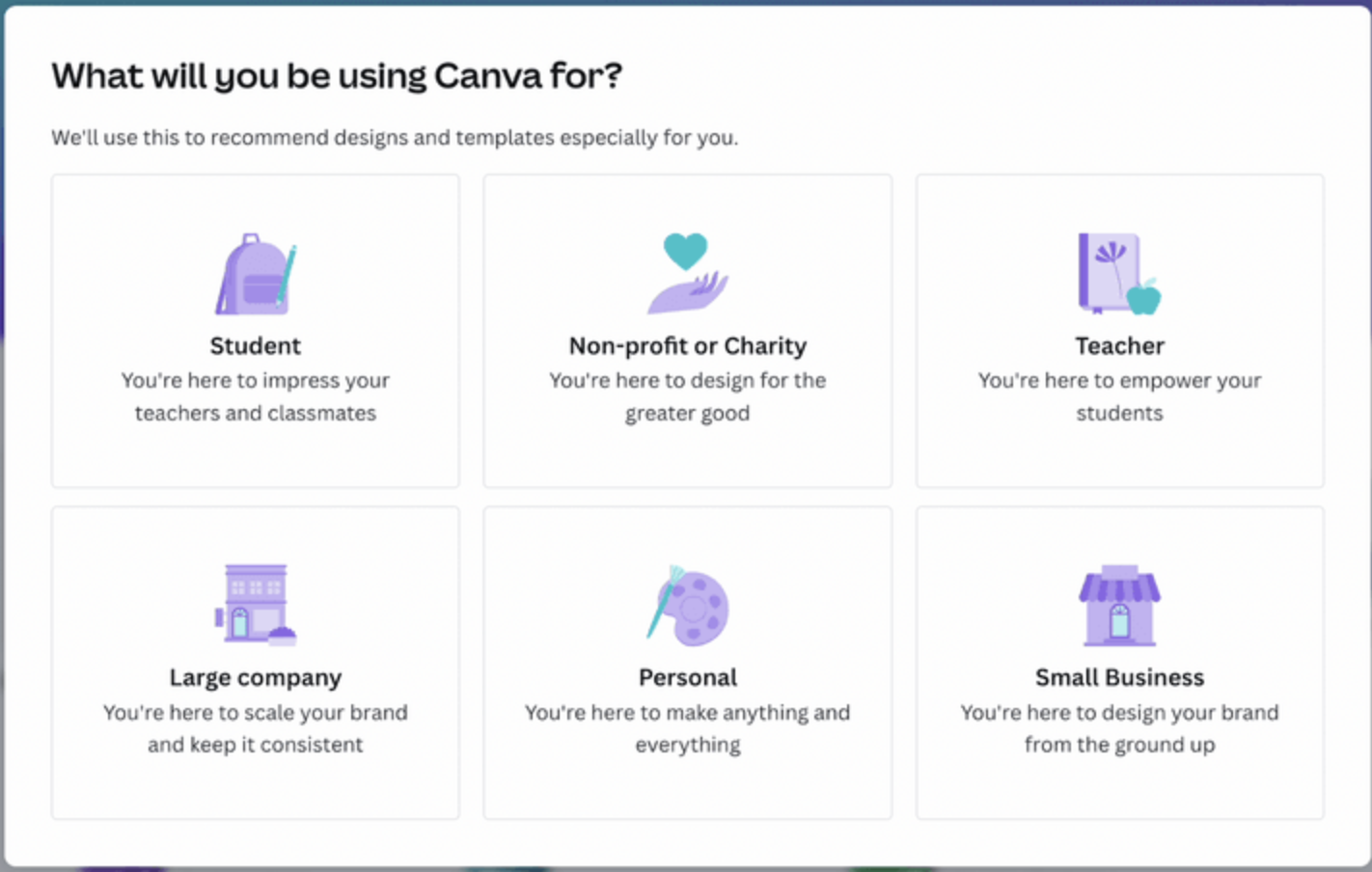
If you’re looking for a winning example of how to deliver a short and sharp product walkthrough, look no further than Canva. It’s a masterclass in how to drive product adoption because it highlights essential features only and lets users get into the action.
Another thing that Canva is aware of is that their users typically sign up when they have a specific graphic design issue they need to execute. The developers acknowledge this state of urgency by giving users the bare minimum and getting out of the way. Bravo!
2. Get personal
Personalization is an essential way to acknowledge that your users are not a monolith, and you can drive their product adoption rates with relevant and engaging product tours. This sentiment is especially true for complex software solutions with varied use cases.
Product onboarding tools like Usetiful help you deliver the personalization your users crave via privacy-compliant user segments. By tailoring your messaging and tours towards specific user personas, roles, or goals, you can slash time-to-value (TTV).
Read our article Types of User Segments You Should Be Targeting to get some ideas.
Best example: Asana
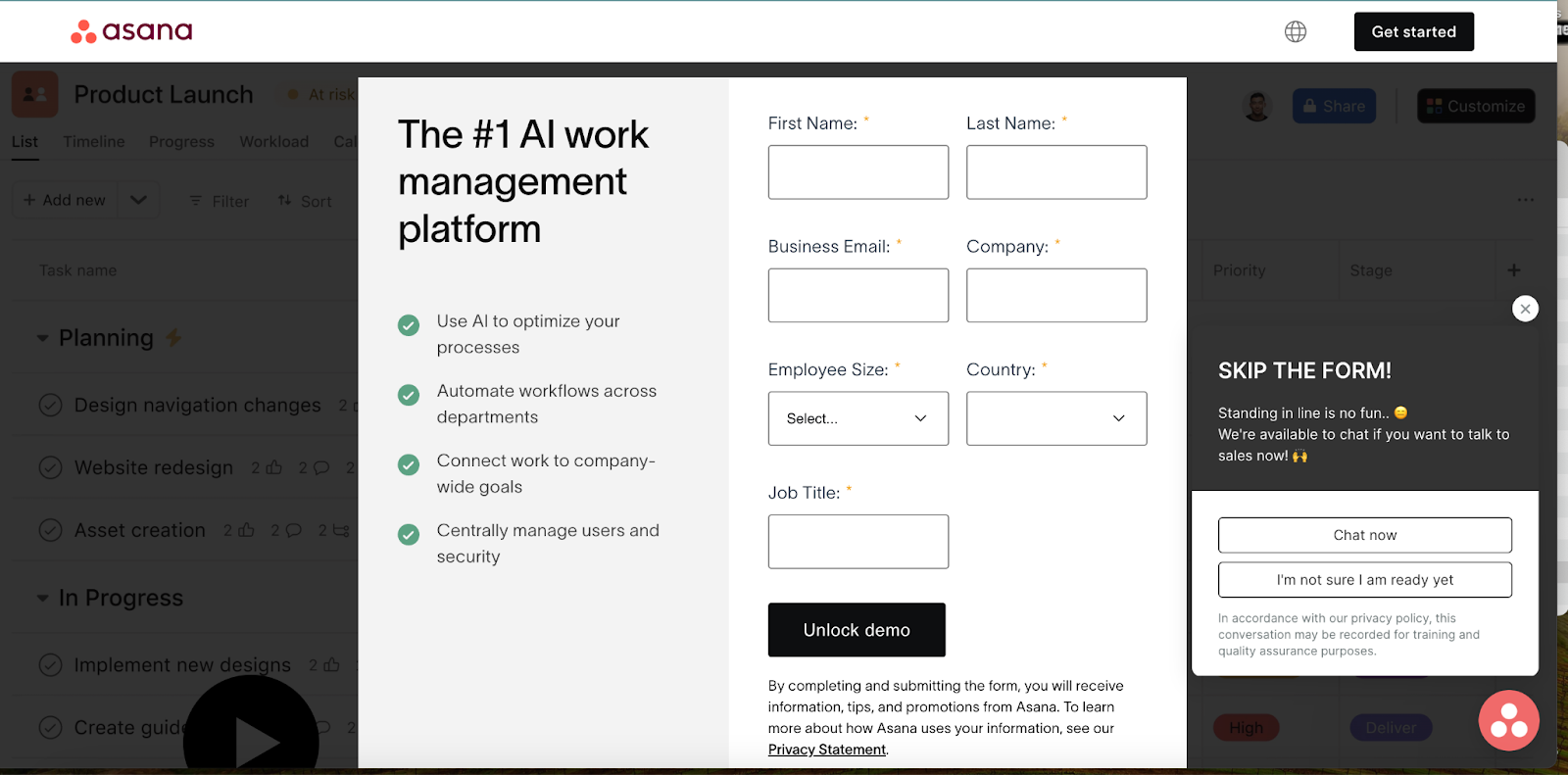
Asana is a powerful project management tool. When users sign up, they are asked to select a role, such as project manager, team member, or marketing professional. Asana uses this data to tailor their product tours, checklists, and contextual tips, as well as highlight the features each respective role will use most.
3. Use micro motivations
Drop offs and lower completion rates are something that affect many product tours. If you’ve already made your product tour short and sharp and your users are not engaged, it’s worth delving into other ways to ensure your users get the guidance they need to adopt your app.
So, flesh out your product tours with interactive elements like tooltips, hotspot beacons, and product walkthroughs. However, if you want to go one step further and gamify your onboarding experiences, use a checklist or progress bar. Users love completing a checklist, which should give you a better chance.
Best example: Duolingo
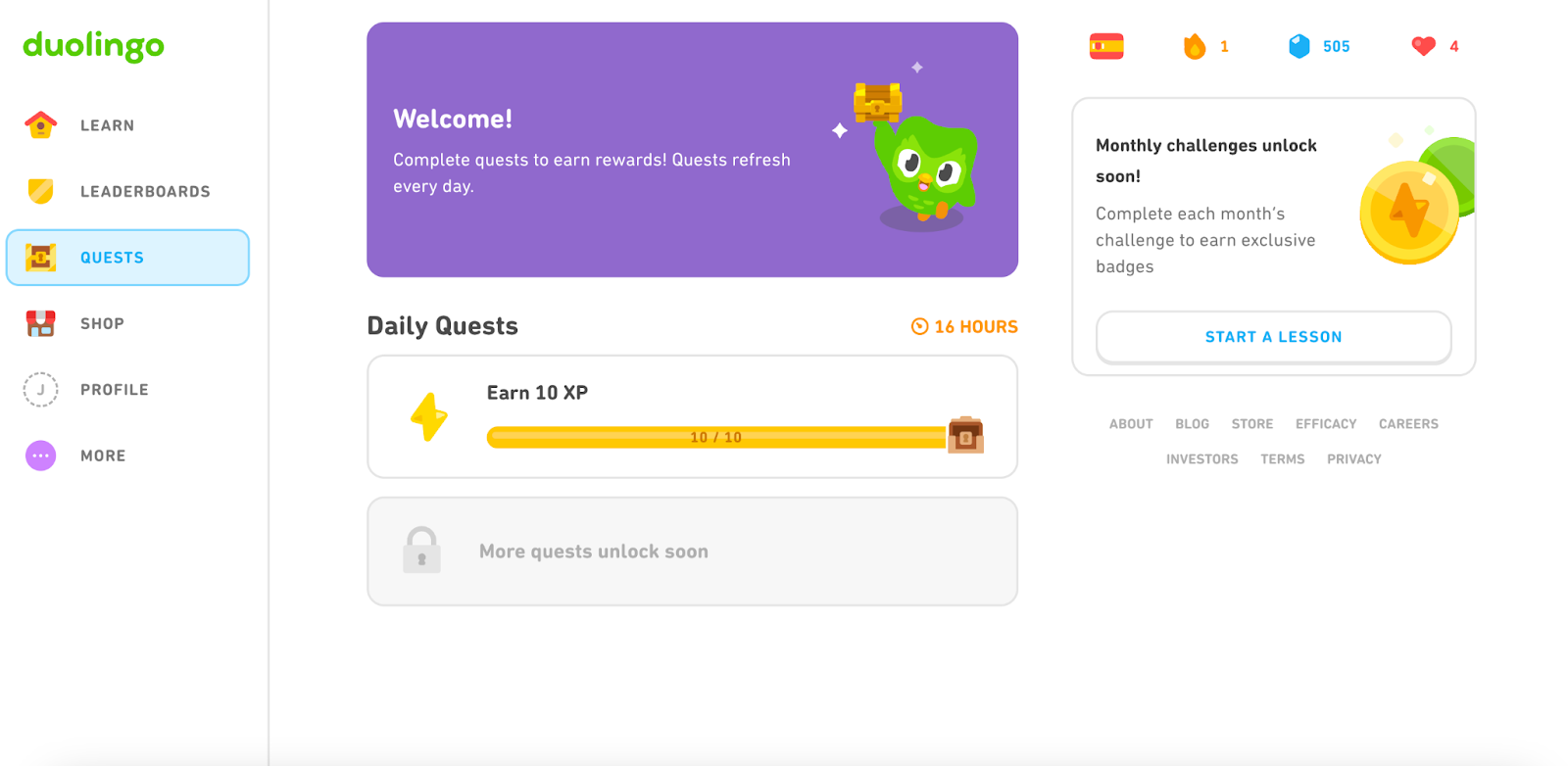
The popular language-learning app understands how to keep its users motivated and coming back for more. They also apply this approach to their onboarding, with animated animals, progress bars, and a reward system. The other thing to note is that it all happens as you use the program. You can learn a lot from these subtle psychological nudges.
4. Contextual help
Product tours are a great way to help users get to grips with your solution. However, when and where you deliver crucial onboarding material is fairly fluid.
You can use specific behaviors or actions as triggers for a product tour. This approach can also be employed with new features, where tours are activated when the user selects a feature.
The best thing about providing contextual help is that it increases user engagement and reduces the odds of overwhelming new users or putting friction in the way of more experienced heads.
Usetiful can help you produce dynamic onboarding content that appears right when users need it. Additionally, you can bind your product tours to the in-app Usetiful Assistant, meaning your users can trigger tours if and when they run into issues when using your app.
Best example: Slack
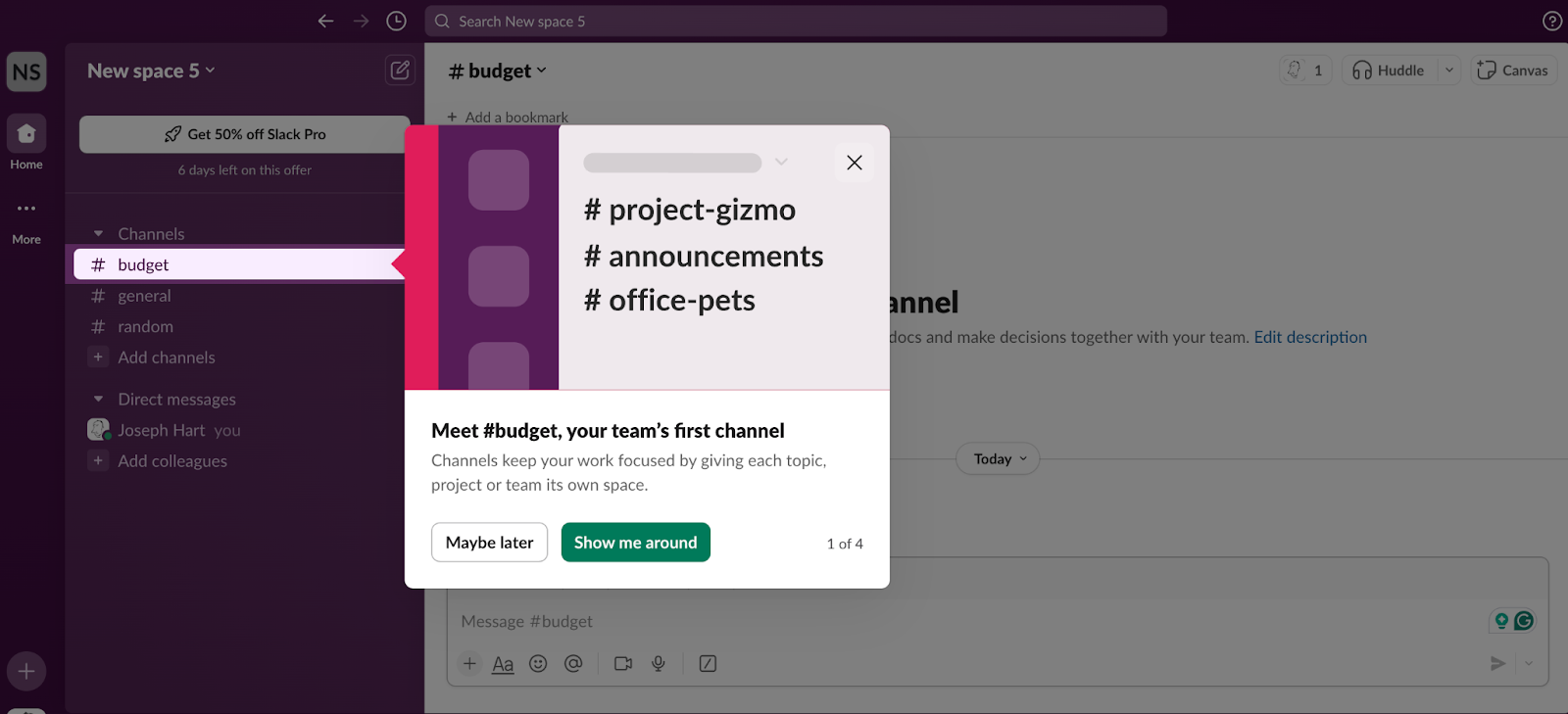
Slack has a minimalist onboarding process that is augmented by contextual help. As users take actions or explore the app, tips, tours, and other UX/UI elements pop up to help them get the most from the platform. Nothing unnecessary, just help, right when you need it.
5. Show your value
Good product tours tell a story. Great product tours tell a story that climaxes with a realization for your users that your product can help them achieve a goal or soothe a pain point. When you highlight how your solutions will save your users time or money, or help them achieve objectives they could not reach alone, they immediately understand the value of your product.
Everything in your product tour should funnel toward this aha moment. Having this sort of focus helps you keep things simple and allows your users to uncover the other benefits of your product when they are ready.
Best example: Notion
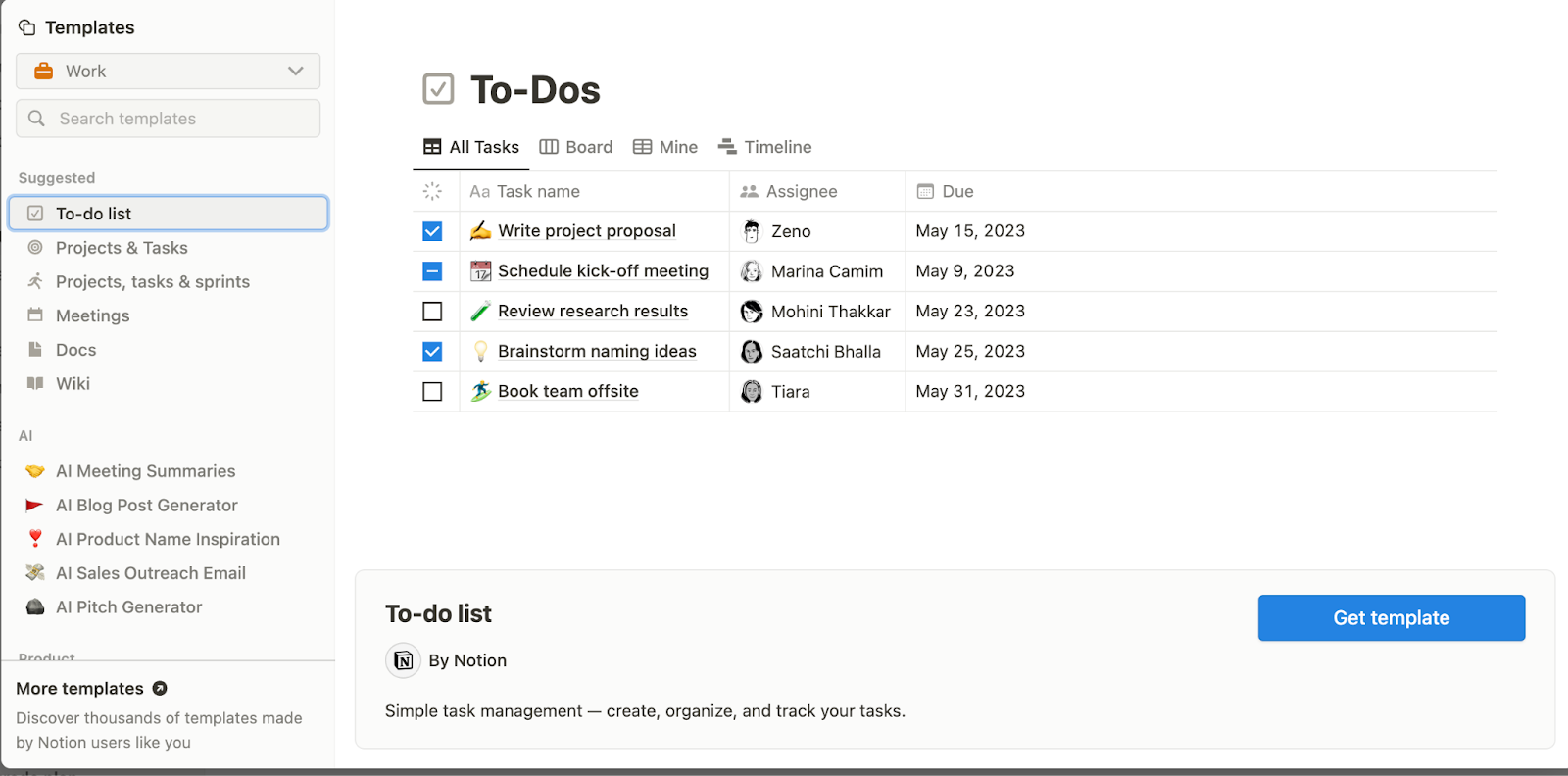
Notion is a modular digital workplace management tool that allows you to manage projects, and build client portals, wikis, and databases. It’s a complex solution that could easily overwhelm new users. Worse still, there are so many wrinkles to the software that it’s hard to fully grasp its potential on first sitting.
Thankfully, Notion uses tooltips and interactive examples to help users grasp what it can do. As you go through the examples, you learn to use Notion and appreciate its qualities. It’s a subtle type of onboarding that reduces the cognitive load and helps drive product adoption.
How Usetiful helped boost Hypefast user activation
If you need a final piece of proof that shows how a great SaaS product tour can help your product, look no further than our Hypefast case study. By implementing in-app product tours via Usetiful, Hypefast increased its user activation rate by 27%. What’s more, the company also reduced activation time by 15 hours.
If your product struggles to retain users because they don’t understand the value of your solution, it’s time to take action. Register for a free Usetiful account so you can start putting these product tours' best practices to work.